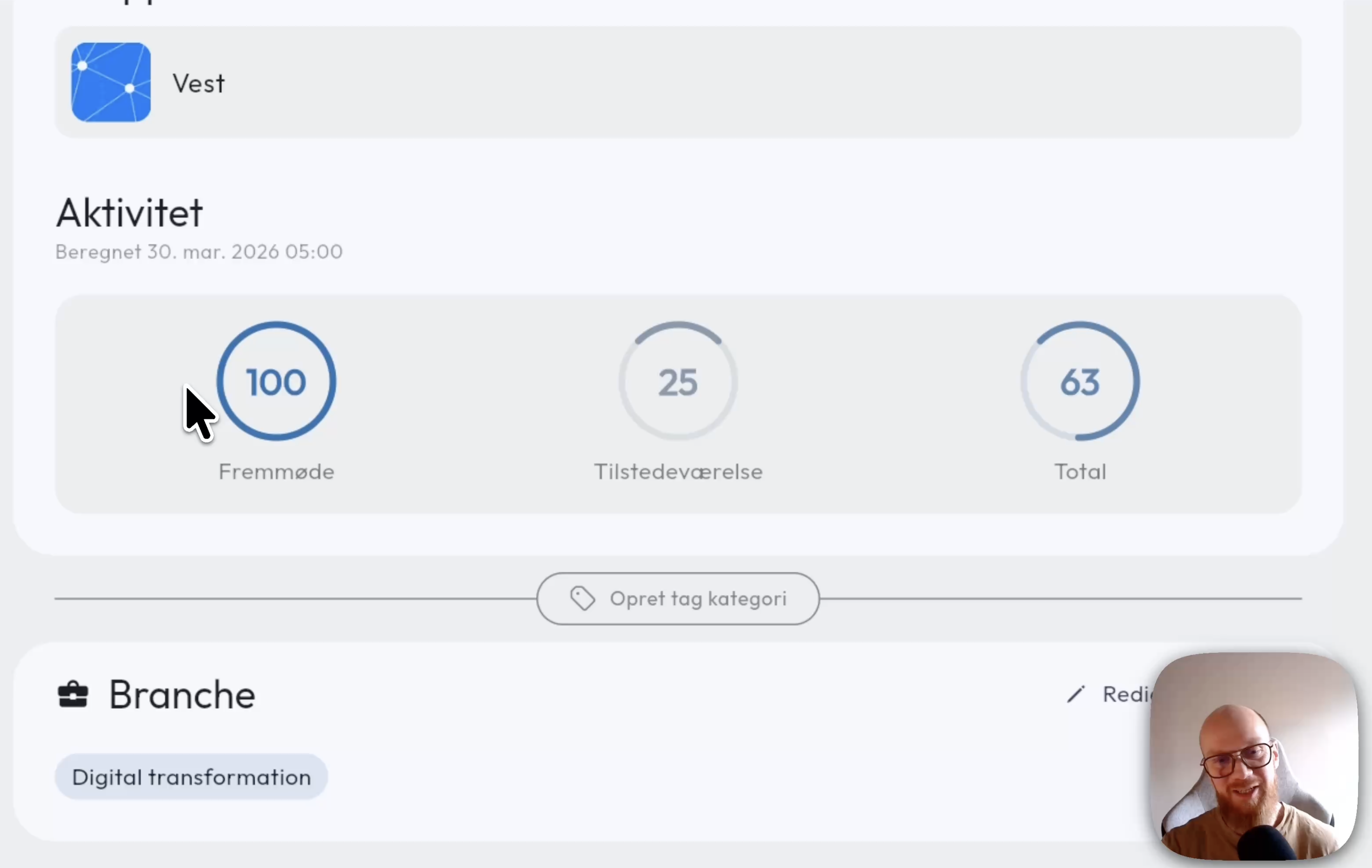
Get a quick overview of which members are most and least active in your community. The activity score is calculated once a week as an average of the member’s meeting attendance and presence on the platform, including how often they log in and whether they have engaged with content shared with them.
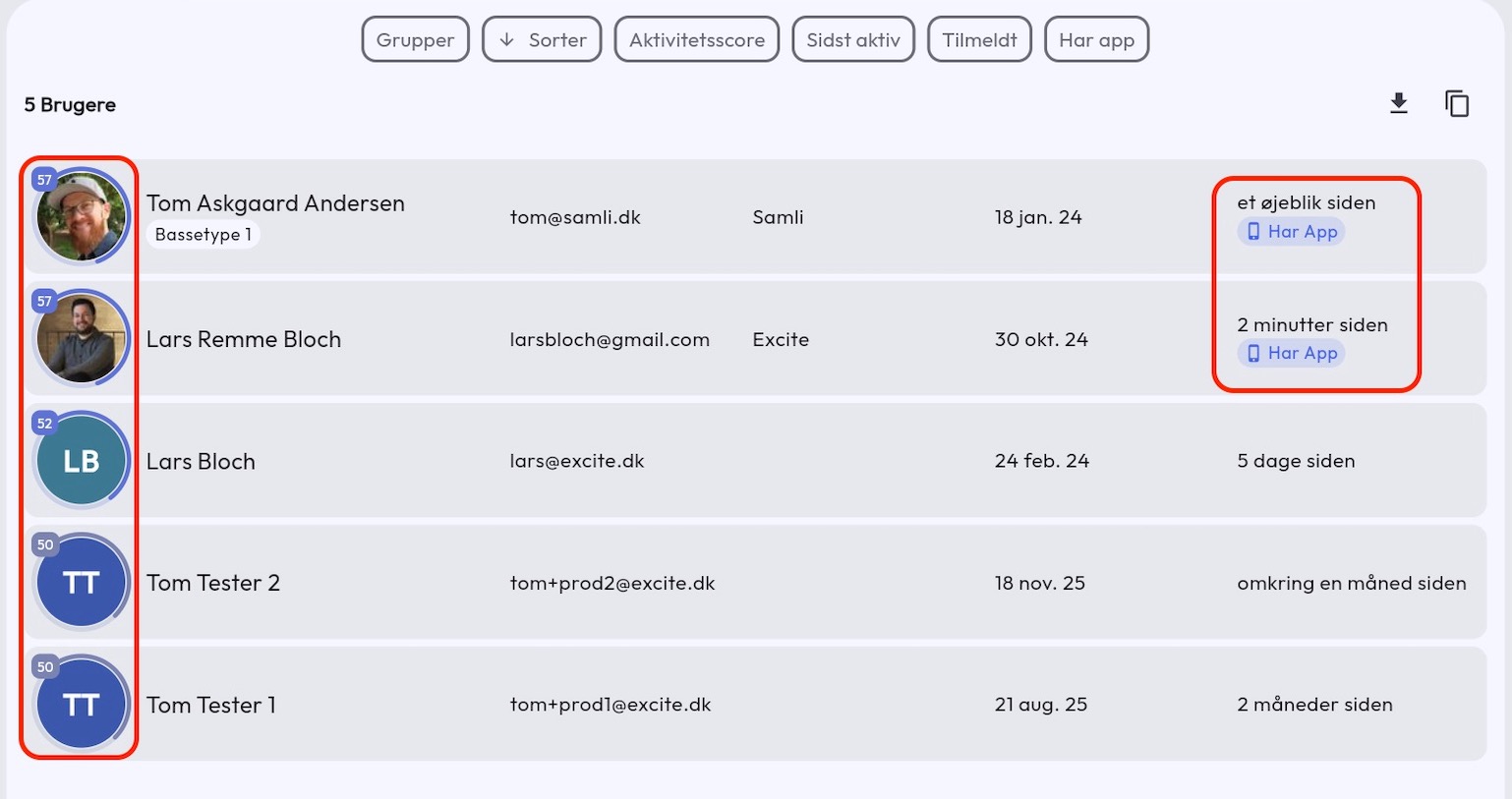
Activity score overview in the admin user list
Under Administration - Users you will see the activity score for members as a ring around their profile pictures, with the calculated score in the top left corner of the image.
In the user list you can also see who has installed your app and who does not have notifications enabled.
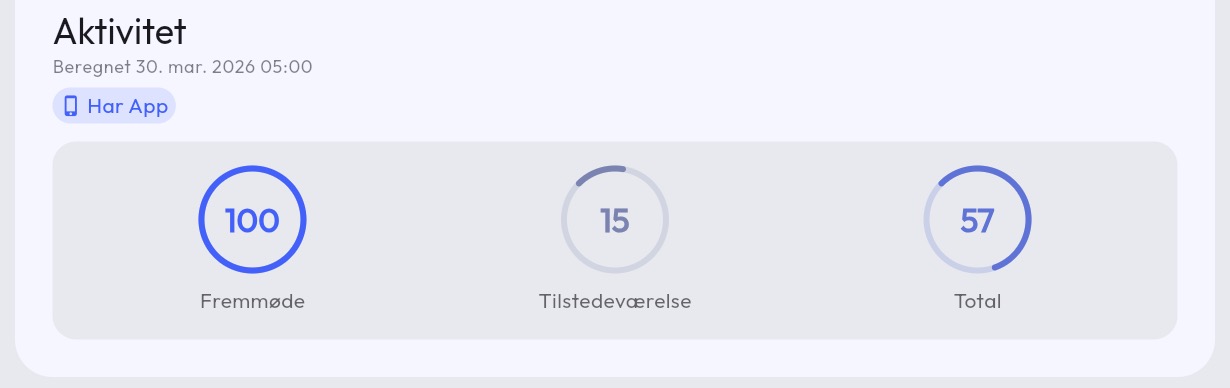
Activity score per member
Each member displays the activity score split into Attendance and Presence.
- Attendance is the percentage of meetings the member has been invited to and said Yes to.
- Presence is the amount of content shared with the member that they have viewed or interacted with.
- Total is the average of attendance and presence.
Searching and filtering the user list
Use filters and sorting on the admin user list to find members. You can sort and filter by the following:
- Groups the member belongs to
- Sort (ascending/descending) by name, email, company name, invitation date, last active, and activity score
- Activity score from 0 to 100
- Last active from 0 to 365 days
- Invitation date from and to date
- Whether the member has logged into the app

Has app is set when a member has logged into the app. Simply downloading the app is not enough.
No notifications is set if the member has logged into the app and has turned off notifications.
Have questions about activity scores? Contact us — we’re happy to help!