“Find the members whose memberships expire next month, and give me a task two weeks before each expiry date.”
You can ask your own AI to do that once it’s connected to Samli. This guide uses ChatGPT Work. The video and screenshots show the Danish interface, and the Danish button labels are included below.
1. Copy the connection link from Samli
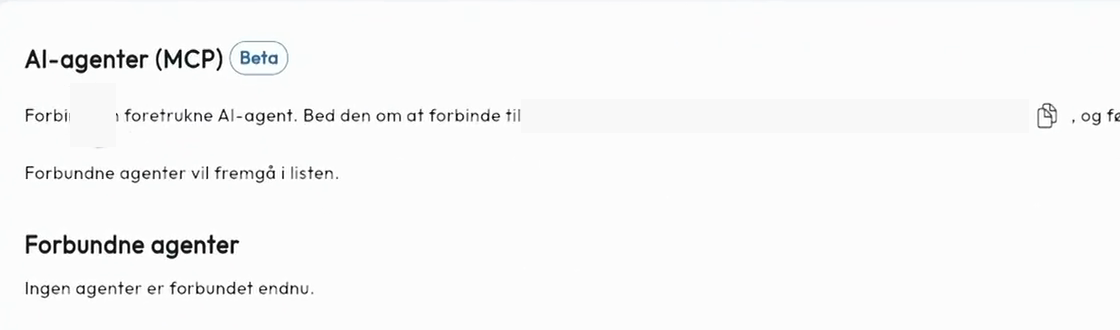
In Samli, go to Administration → Integrationer (Integrations). Scroll down to AI-agenter (MCP) and click the copy icon next to your organisation’s connection link.
2. Add Samli in ChatGPT
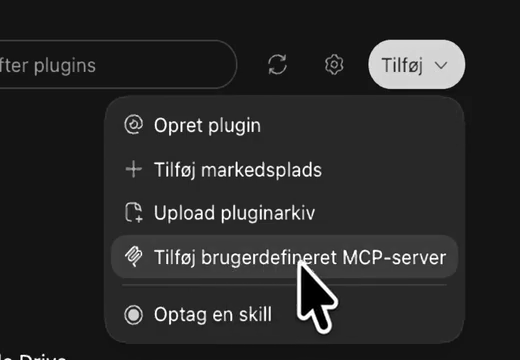
Open Work in the ChatGPT desktop app and go to Plugins. Click Tilføj (Add) in the top right and choose Tilføj brugerdefineret MCP-server (Add custom MCP server).
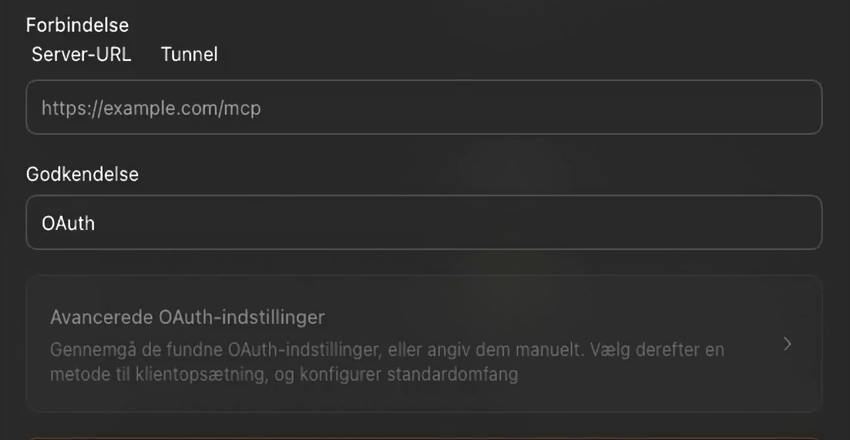
Give the connection a name you’ll recognise, such as the name of your app. Paste the Samli link into Server-URL and leave Godkendelse (Authentication) set to OAuth. Tick Jeg forstår og vil gerne fortsætte (I understand and want to continue), then click Opret som et plugin (Create as a plugin).
3. Approve the connection in Samli
Click Forbind (Connect) in ChatGPT. Samli opens in your browser and shows which organisation ChatGPT is asking to access. Check that it’s yours and click Godkend (Approve). You’ll return to ChatGPT.

4. Look up a member
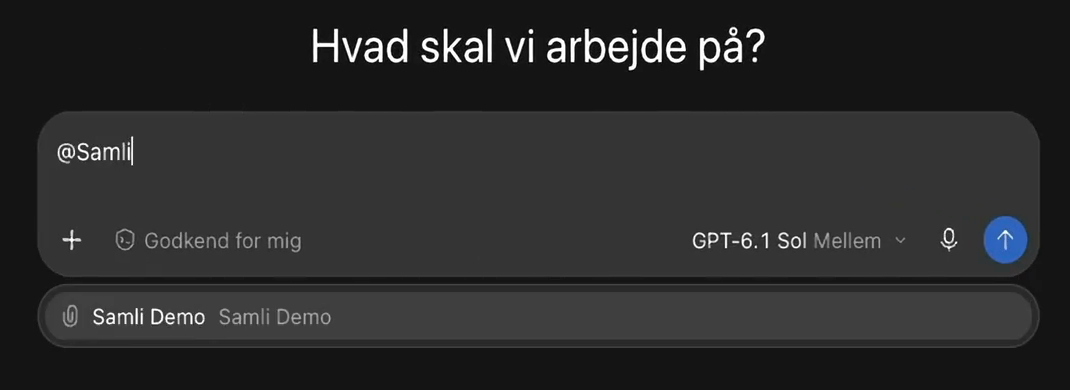
Open a new conversation in ChatGPT Work. Type @ followed by the name you gave the connection, and select it from the list. Try “Look up the member details for Tom Demo”, using a member’s name from your own community.
5. Update membership expiry dates from a file
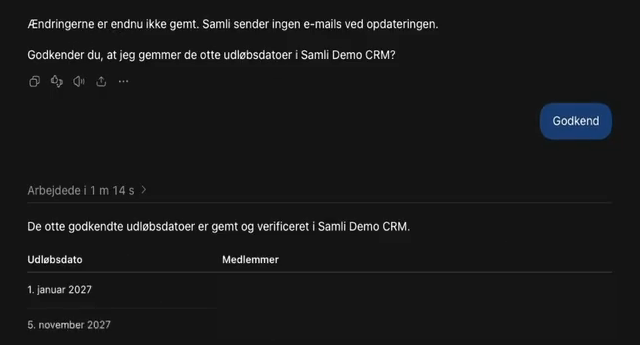
Attach a CSV with an email column and an expiry date column in ChatGPT Work. Ask the AI to match the email addresses to members in Samli and show you the proposed changes before saving.
Find members in Samli CRM whose email addresses match the file. Show me which expiry dates you’ll change and wait for my approval.
Check the names and dates, then approve the changes in the conversation. Refresh Samli CRM to verify the new dates. If the AI has trouble reading your spreadsheet, export it as CSV or paste the two columns into the chat.
6. Get a task before a membership expires
Once the dates are in place, ask the AI to create follow-up tasks in Samli CRM.
Create a task in Samli CRM for each member whose membership expires next month. Assign the tasks to me and set each due date to 14 days before the membership expires.
Check the tasks and due dates under CRM → Opgaver (Tasks). Each task is now due on the day you want to follow up.
If the AI needs a feature it can’t access
The connection can work with members and CRM. If you ask ChatGPT to publish a post, it may suggest using the browser because the connection doesn’t support creating posts yet. Ask which feature is missing and share the answer with Samli Support.