Quick overview
- Create events with free tickets (paid tickets coming in December 2025).
- Remove users and optionally their content from your groups.
- Invite many people at once with a comma-separated email list.
- Optionally auto-invite new members to all future meetings.
- Members can quickly book meetings and start chats via the member view.
- Optionally choose whether members may invite guests to meetings.
- Pin posts to the top of the list.
- Onboarding posts shown to new members when they log in.
- Added Swedish and Dutch as languages.
New: Host events with tickets
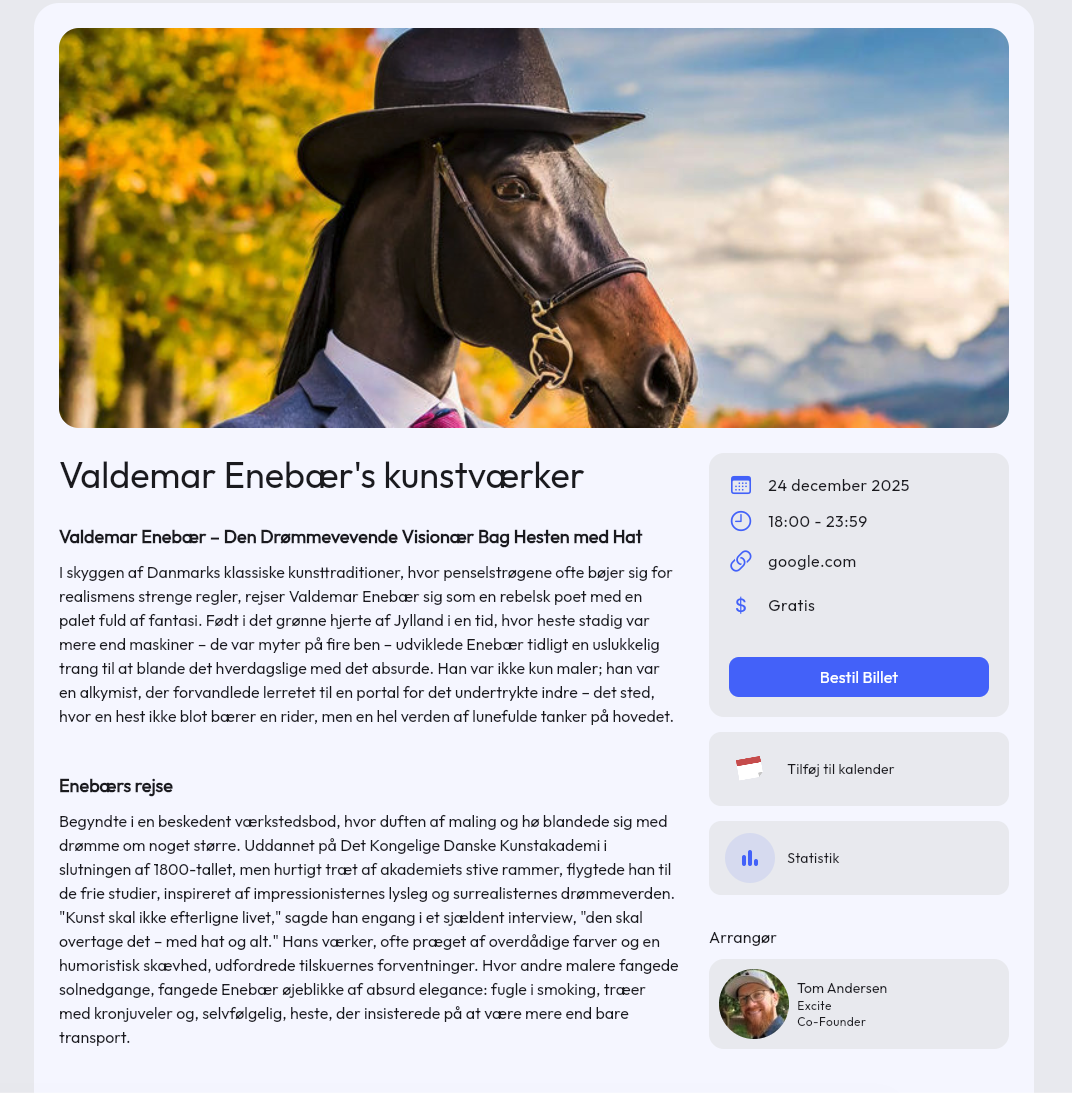
When creating a new event you can now choose between “Meetings” and “Events”. The difference is that meetings are invitation-based, similar to Outlook, whereas events are open for optional sign-up by your members (and external guests).
Tickets are assigned to event attendees, and in December it will also be possible to accept payment for tickets. Until then, you can create free events.
It is also possible to create “open events” so that guests outside your groups can sign up via a link — for example on your website. If you’re interested in trying it out, feel free to reach out, or you can already use it for your members inside Samli today.
Easier member management
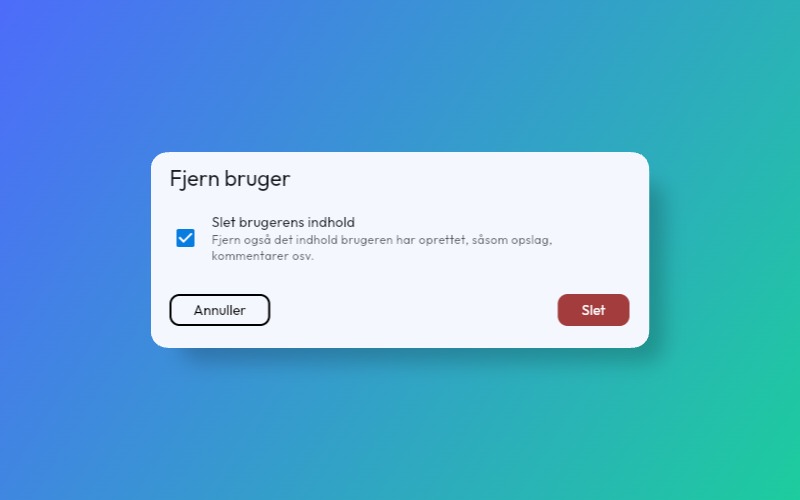
Remove and delete members You can now choose to remove a member and optionally all or part of their content when removing a person from a group. If you want to remove a member entirely from your platform, you can delete them via the user list under administration. The person will then be removed from all groups they are a member of.
When you delete a person from a group, they will also be removed from all meetings they have been invited to.
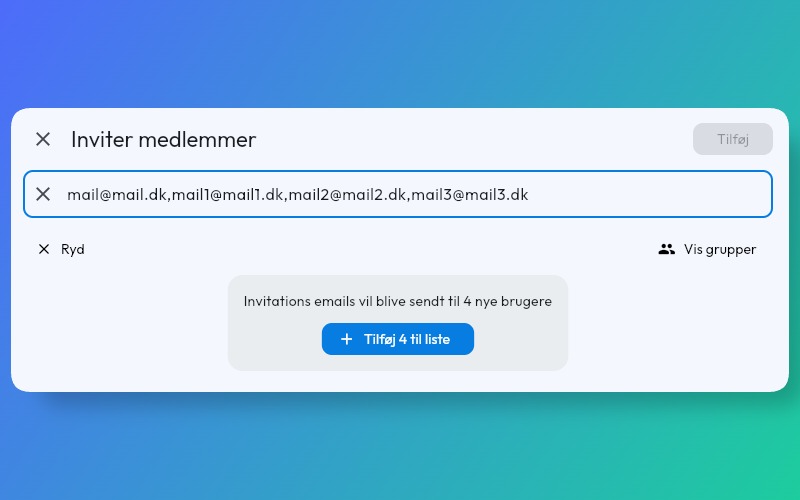
Invite multiple people to your platform at once It is now possible to add a comma-separated list of emails to the invitation window. For example: mail@mail.dk, mail1@mail1.dk, mail2@mail2.dk etc.
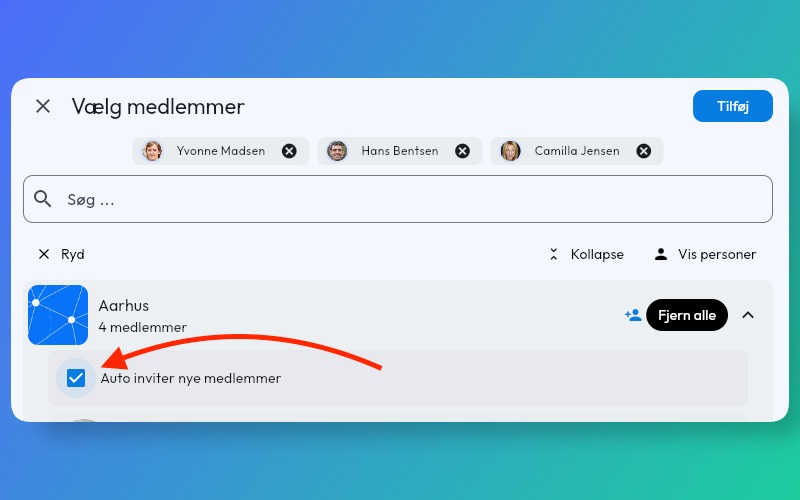
Automatically invite new members to all future meetings When you edit or create a meeting, you can now choose to automatically invite new members from a group.
Change a member’s email Instead of inviting the member using their new email address, you can now simply update the email on their account. Do this by going to the member under administration, then the user list, and clicking on the user whose email you want to change.
Shorter path to contact between members
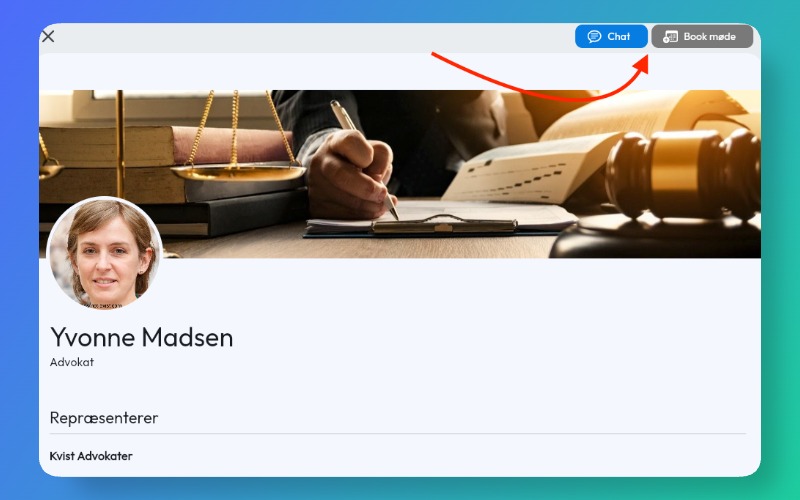
When members view each other’s profiles on your platform, there are now 2 action buttons at the top of the profile picture.
“Book meeting” and “Chat”.
The purpose is to let members quickly interact with each other and book, among other things, 1:1 meetings. Later we will develop a statistics module so you can track member activity on the platform and more quickly reach out to keep them active — or cut to the chase.
Better onboarding
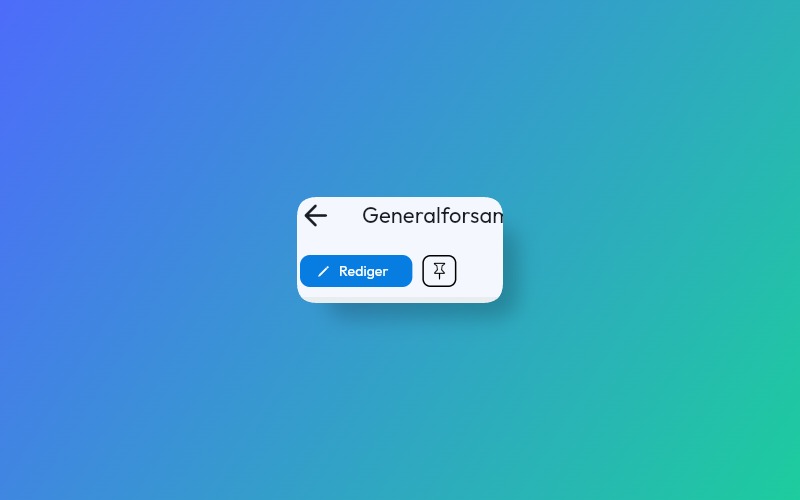
It is now possible to pin posts to the top of the post list. Ideal for knowledge you want members to see first, such as expectations and best practices.
Pinning a post is done by opening the post and clicking the pin icon next to the edit button.
Choose a post as the onboarding page
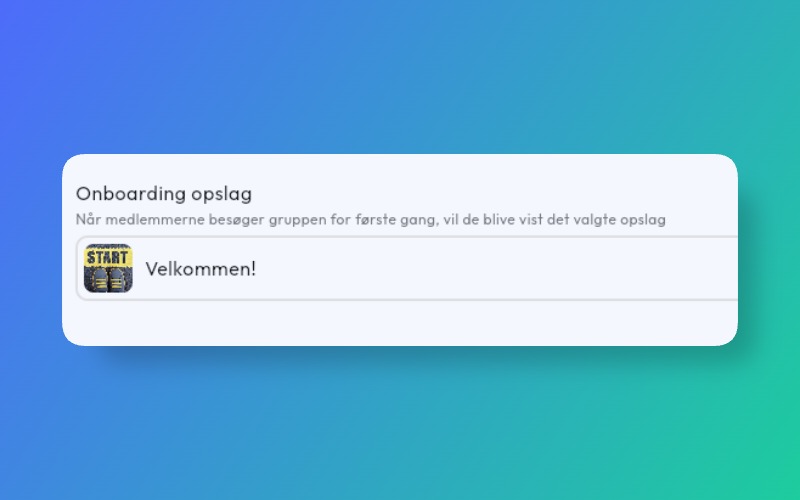
Under group settings you can now select a post to be shown to members as soon as they log in to the platform. Ideal for welcoming members and telling them a bit about what they can find on the platform. For example, you can ask members to respond to meetings and browse “Questions” to see if they can help other members.
Next steps
- Accept payment for tickets
- Events on events.samli.dk
- Notification settings
- App notifications for content from the platform
- Facilitator can manually send notifications
- Categorisation (tags) on members such as industry, role, etc.
- Sorting and filtering by member categories
- Attach files/images/videos to meetings