Hi facilitator
I’ve really been looking forward to sharing this update with you, because if there’s one thing I’ve learned while building Samli, it’s that people who run communities are always busy!
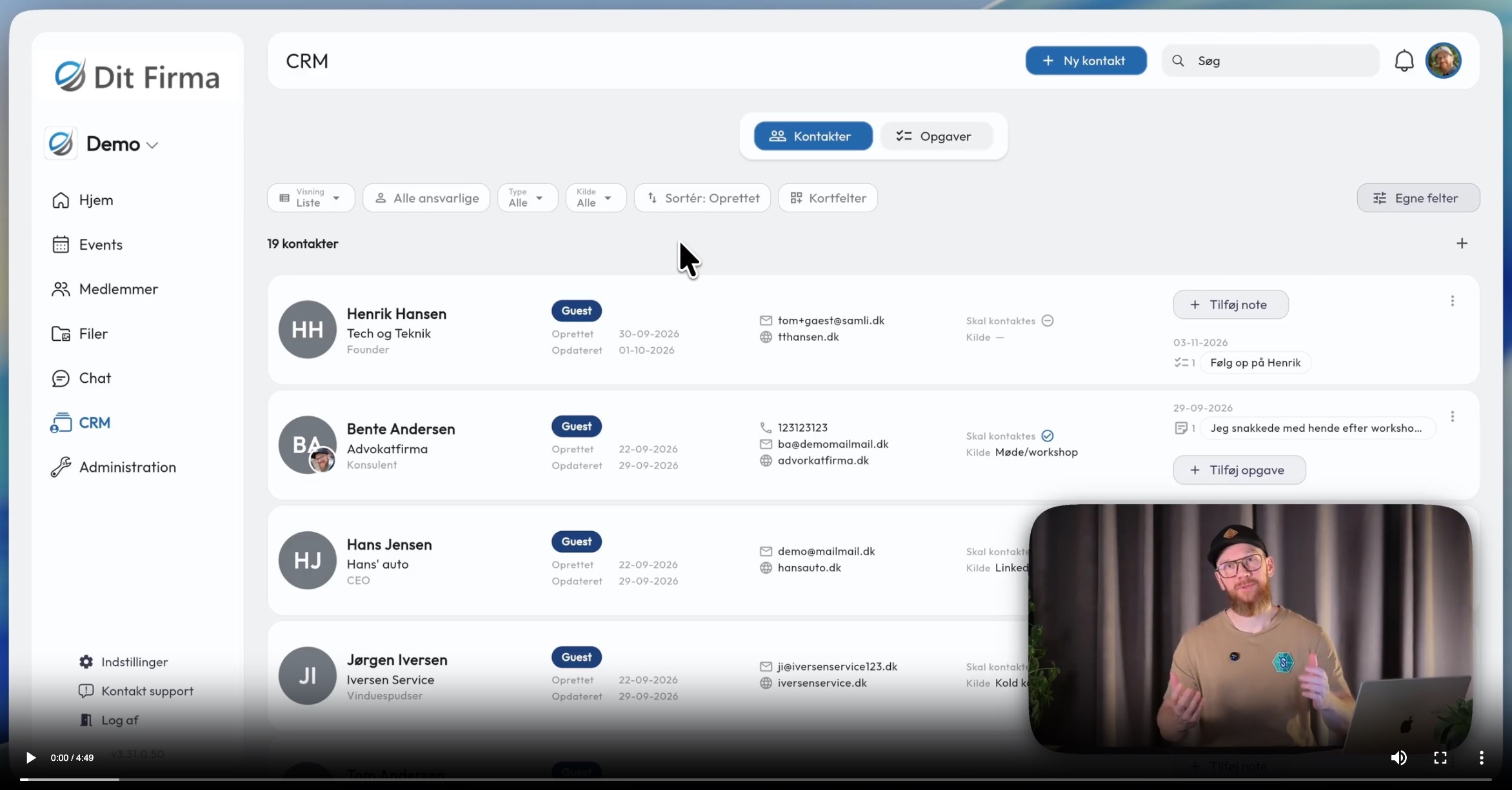
So to help you save time on day-to-day administration, we’ve built a CRM system for your members, your guests and other people connected to your community.

Not sure whether CRM makes sense for you? Watch this short 1-minute video to see why it’s useful.
CRM for managing members, guests and more
Leave your Excel spreadsheet or Trello board behind and bring information about people in and around your community together in your new CRM system. Here you’ll find information and tools to follow up with guests and members, and you can even add other contacts such as speakers and partners, all in one place.
There are 4 things I find particularly useful:
- Member management
- Guest management
- People connected to your community
- Make the CRM your own with custom fields
Ready to get started? See the guide here to get going
https://samli.io/guides/saadan-bruger-du-samli-crm
Member management
Keep track of when members’ memberships are due for renewal and get a reminder to prepare for the renewal meeting. If several of you share the responsibility, you can assign someone to each member and add notes and tasks that you can follow up on together.

Guest management
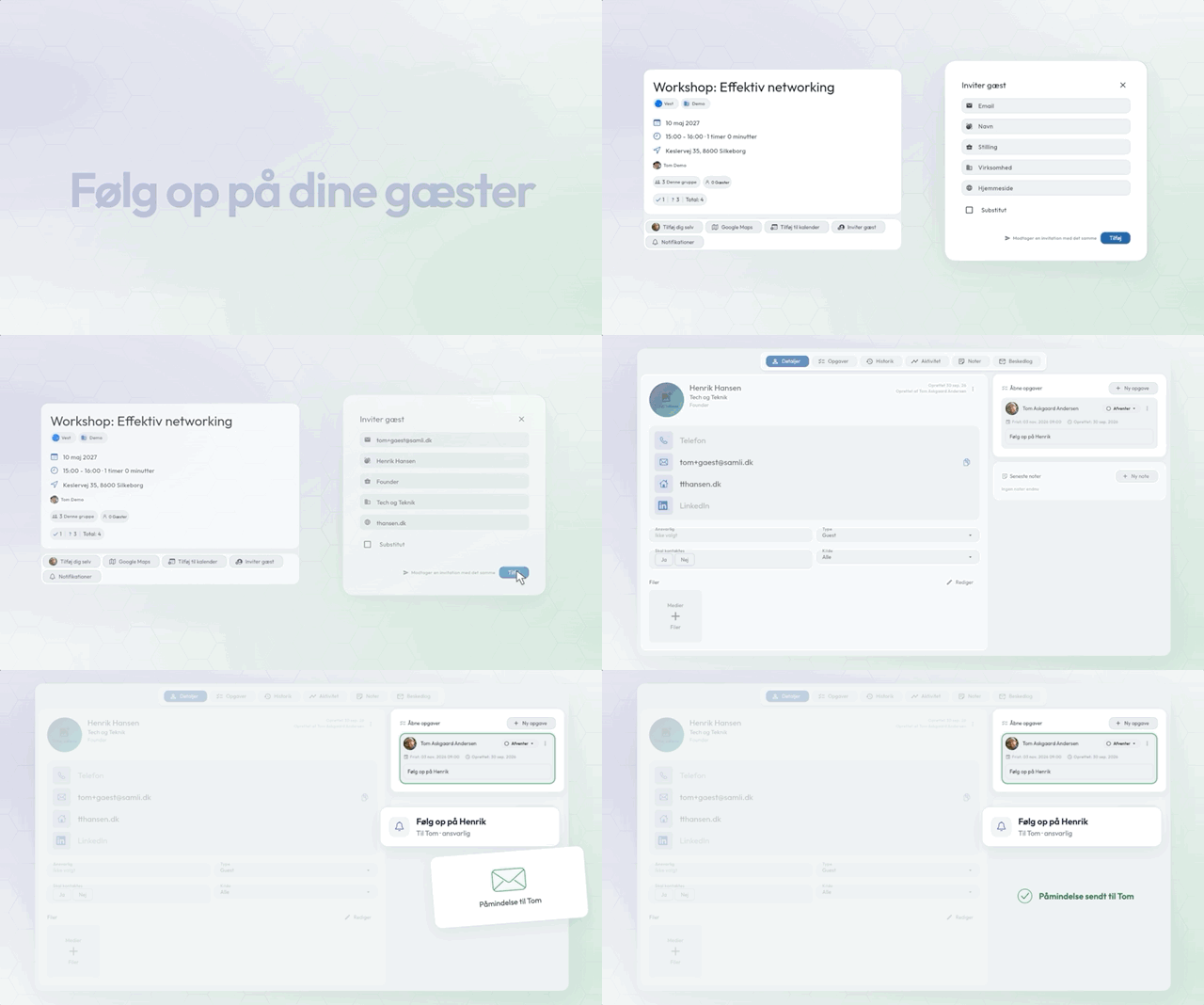
Guests from meetings and events will automatically be added to the CRM system. This means you can now also keep track of whether a guest has attended more than once, and you’ll automatically get a reminder to follow up with them after the meeting or event.
You can also add notes and tasks for the guest and assign responsibility, so you can keep each other updated on turning guests into members.
People connected to your community
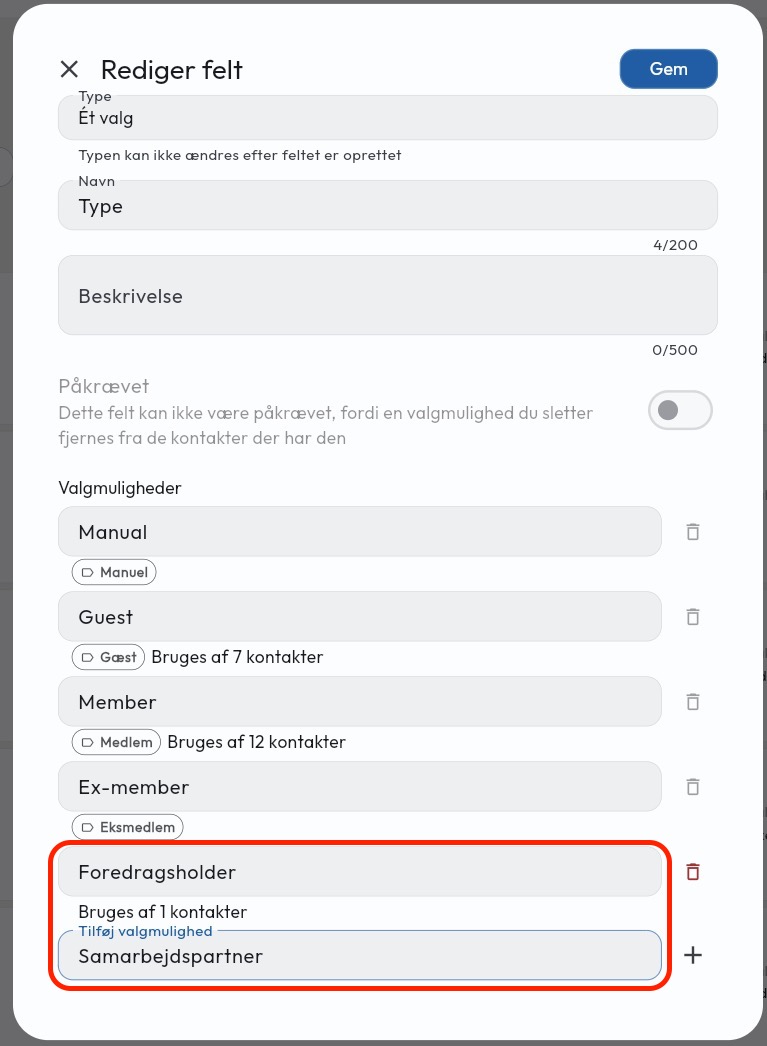
Add contacts yourself, such as speakers and partners, so you can keep track of which meetings they’ve actually attended. You can also add notes, tasks and a person responsible, so together you can keep track of the people who improve the community experience for your members.
Make the CRM your own with custom fields
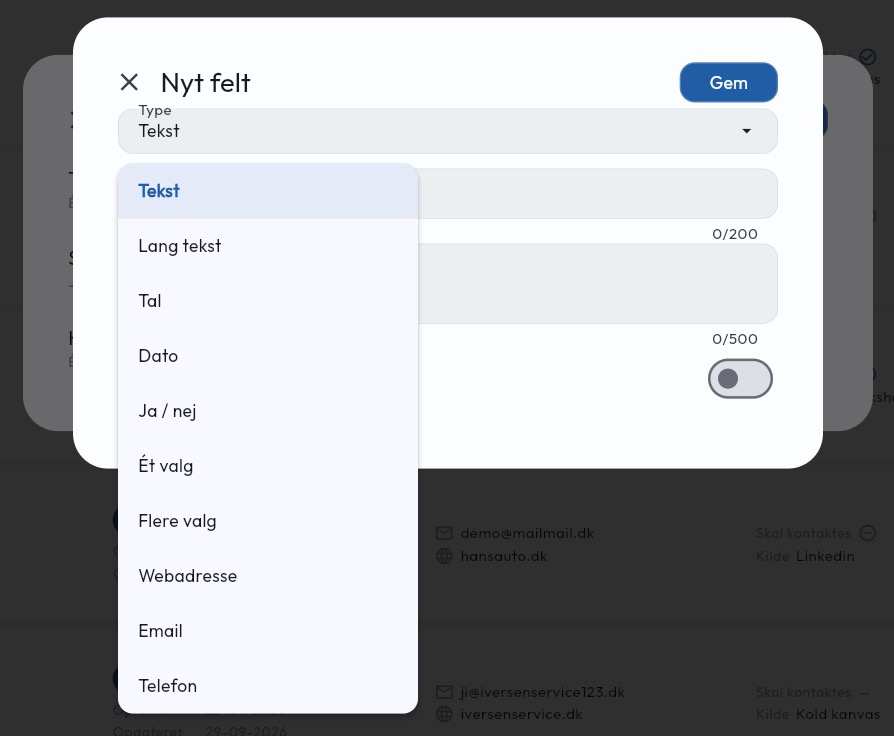
If you’re missing information about people, you can add your own custom fields. Besides storing information, these fields make it easier to search and filter people. With custom fields, you can make the information that matters to you clear and visible to everyone who runs the community.
Moving from another CRM?
Whether you’re ready to retire your Excel spreadsheet or want to save on your HubSpot subscription, we can help migrate your data to your platform. Simply reply to this newsletter, give me a call at +45 26 55 60 44, or book a meeting here, and we’ll take a look at it together.
More improvements
- View activity and messages sent to a member on the member’s administration page.
- The organisation’s description is now included in the email when new administrators are invited
- You can now add a personal message when sharing a business card
- Edit/delete guests directly in the meeting view
Bug fixes
- Menus now always open within the window.
- The Save button no longer disappears when editing events.
- Guests’ email addresses are now displayed correctly if their names haven’t been filled in.
- Sharing your own business card with yourself no longer creates a referral.
- Saving a meeting to Google Calendar now works correctly on iPhones.
Previous newsletters
Did you miss an update? You can see all the newsletters I’ve sent here:
If you have any feedback or requests, please feel free to reach out to me:
tom@samli.dk
2655 6044
Have a great start to October.
Best regards, Tom