I hope things are going well in your community and that the rest of 2026 is looking exciting!
This time, we’ve improved and fine-tuned how you manage meetings and events, helping you work a little more efficiently while still giving members a professional experience.
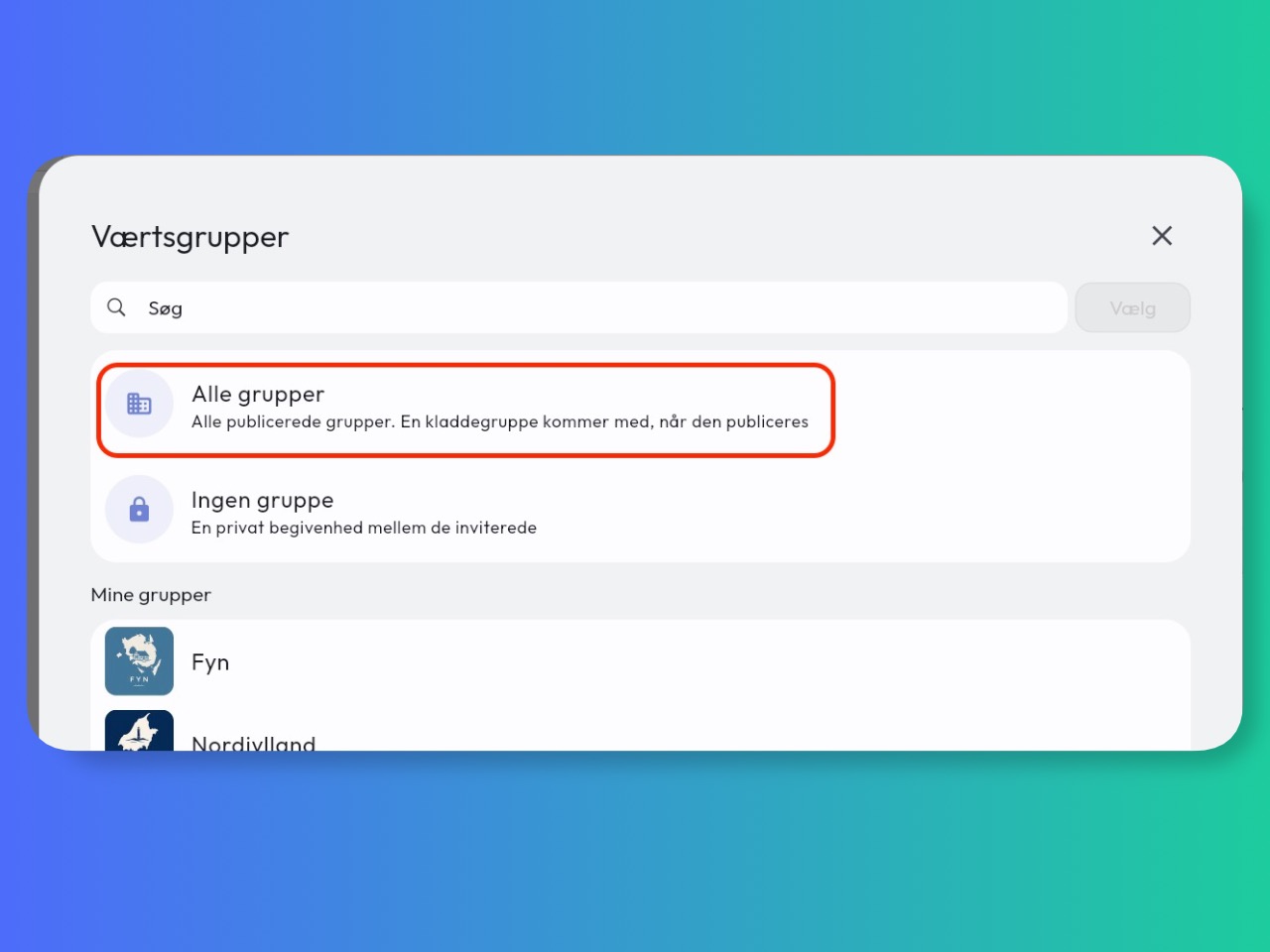
Shared meetings across groups
Meetings can now be linked to several groups, all groups or no group at all. If you currently have a shared group containing everyone in your community, you can delete it and create future meetings for All groups instead.
See how to create a shared meeting across groups
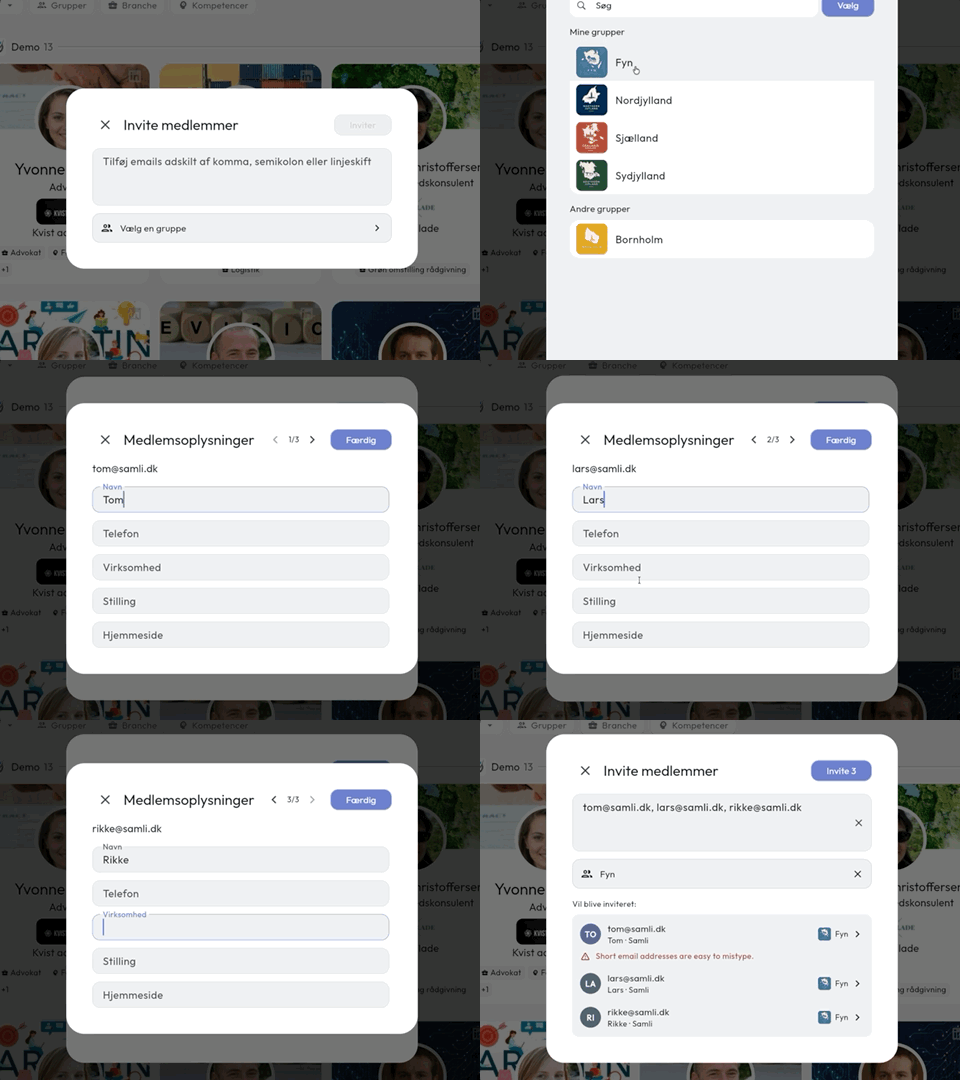
Invite several members at once
You can now paste an entire list of email addresses directly from Outlook or another email client. Samli separates the addresses and helps you spot any that may have been entered incorrectly.
Before inviting the new members, you can also quickly add their contact details, saving you from having to find and edit each member individually afterwards.
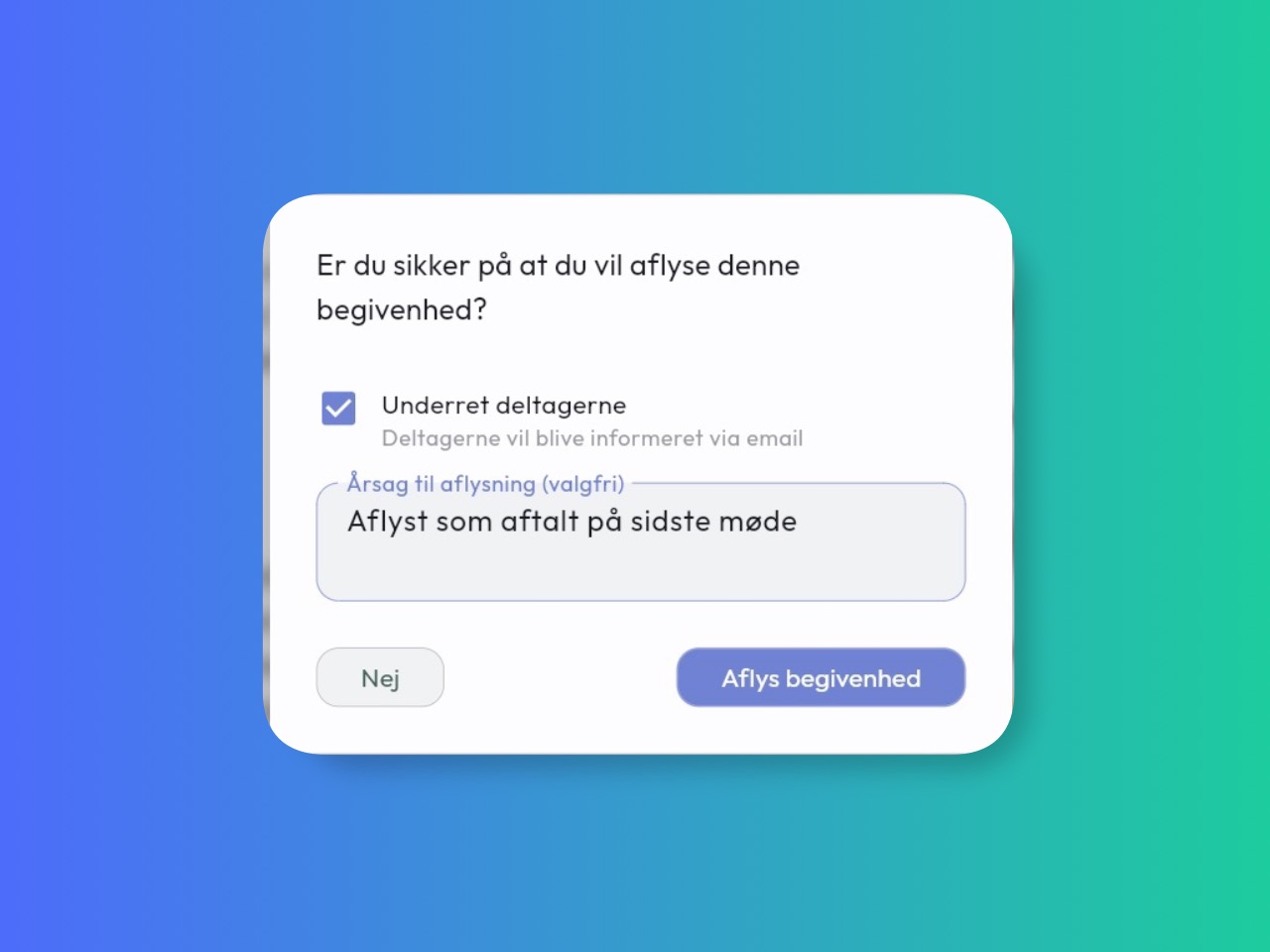
Choose whether to notify participants when the meeting time changes
Participants don’t always need to be notified when you update a meeting. Correcting a spelling mistake, for example, shouldn’t have to disturb everyone.
You can now decide whether participants should be notified about a change. You can also include a personal message in the notification to explain what changed and why.
More improvements
- Events can now have a price without requiring Stripe to be set up.
- Events can be hidden or permanently deleted when the participant list is empty.
- Meeting invitations have a new email design.
- Online meeting links are sent to participants before the meeting starts.
- Automatic attendance can now be enabled after a meeting has been created.
- Content and members in draft groups are now clearly marked as drafts.
- A confirmation step has been added when changing the status of a referral.
- Member statistics now have clearer cards and charts, as well as date and time information.
Bug fixes
- Reduced the risk of being logged out unexpectedly during temporary login issues.
- Hidden groups are no longer incorrectly displayed as open groups.
- Participants with automatic attendance now receive the relevant meeting updates.
- The calendar now shows local time instead of UTC.
- The calendar’s month view now starts on the correct day.
- Users no longer receive duplicate emails about pending attendance.
- Meetings with several host groups are now displayed correctly to members of every relevant group.
- Profile updates no longer get stuck if an error occurs.
- The app now makes it easier to try again after a connection error.
- The organization’s logo and favicon no longer overwrite each other in emails.
What’s coming next?
We’re working hard on the new CRM module, which will help you keep track of members through notes and tasks. You’ll also be able to manage other people connected to your community, such as guests and speakers. It’s being built right now, so please reach out if you have any questions or suggestions.
The module will let you manage notes, tasks and reminders, assign responsibility, categorise people and view member activity such as meeting attendance.
Previous newsletters
Did you miss an update? You can see all the newsletters I’ve sent here:
If you have any feedback or requests, please feel free to reach out to me:
tom@samli.dk
2594 6694
Have a great September.
Best regards, Tom