I’ve been looking forward to sharing this latest update — it’s been specifically built to give facilitators a better overview of your members.
You can start using the new update from your computer today; your app will be updated during the week.
Activity score for members
Who has actually installed your app, and who could use a little extra nudge to become more active in the group?
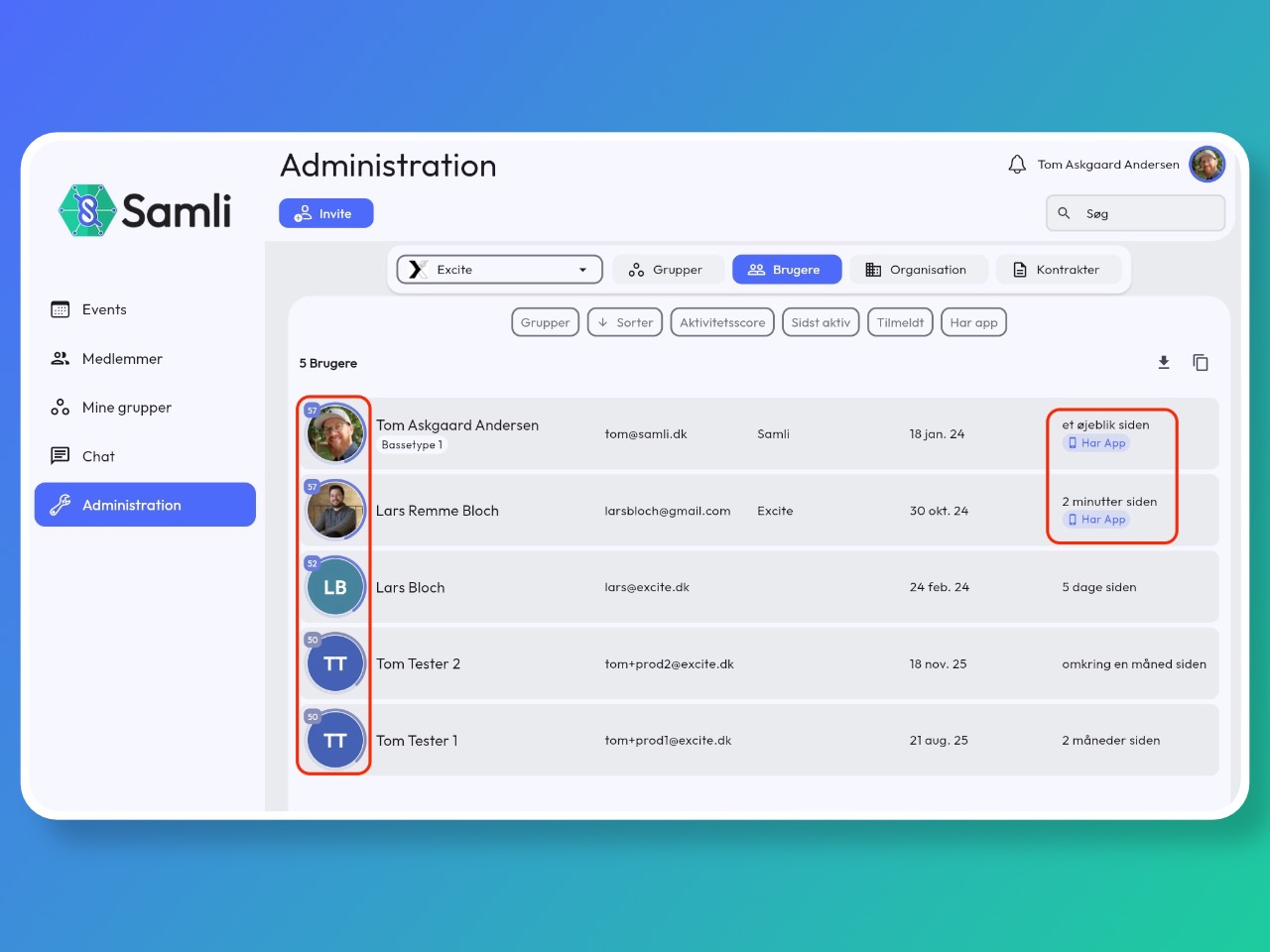
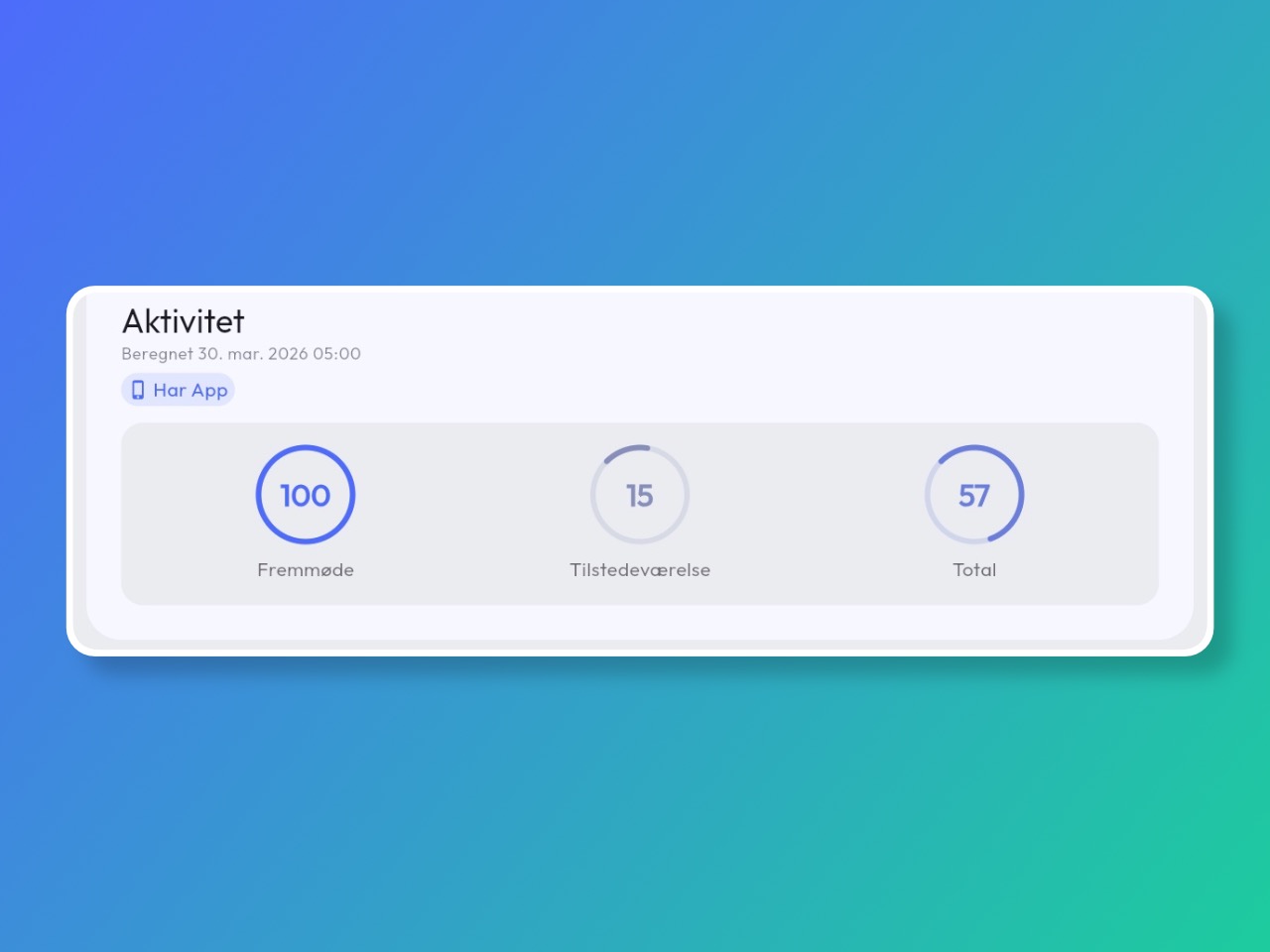
Each week your platform will now calculate an activity score based on the number of meetings the member has attended and how often they open the app and interact with content.
You can also see whether members have the app installed on their phone and whether they have notifications enabled.
Only Organisation administrators can see the activity score. You’ll find it under Administration → Users, or when you click into a member’s profile there is now a small “statistics button” showing the member’s activity score.
Read more and watch a short introduction video here: https://samli.io/guides/activity-level-of-members
Better sorting and filtering in the admin member list
When you need an overview of your members you can now sort and filter the list more effectively to find the members you need to follow up on.
- Filter by who has the app installed.
- Who has an activity score below X percent.
- Who has never logged in, or hasn’t logged in for a given period.
Remember you can always use the “copy” button to pull out emails for the filtered members.
Try it in the admin user list. In the activity score video I also show how it works: https://samli.io/guides/activity-level-of-members
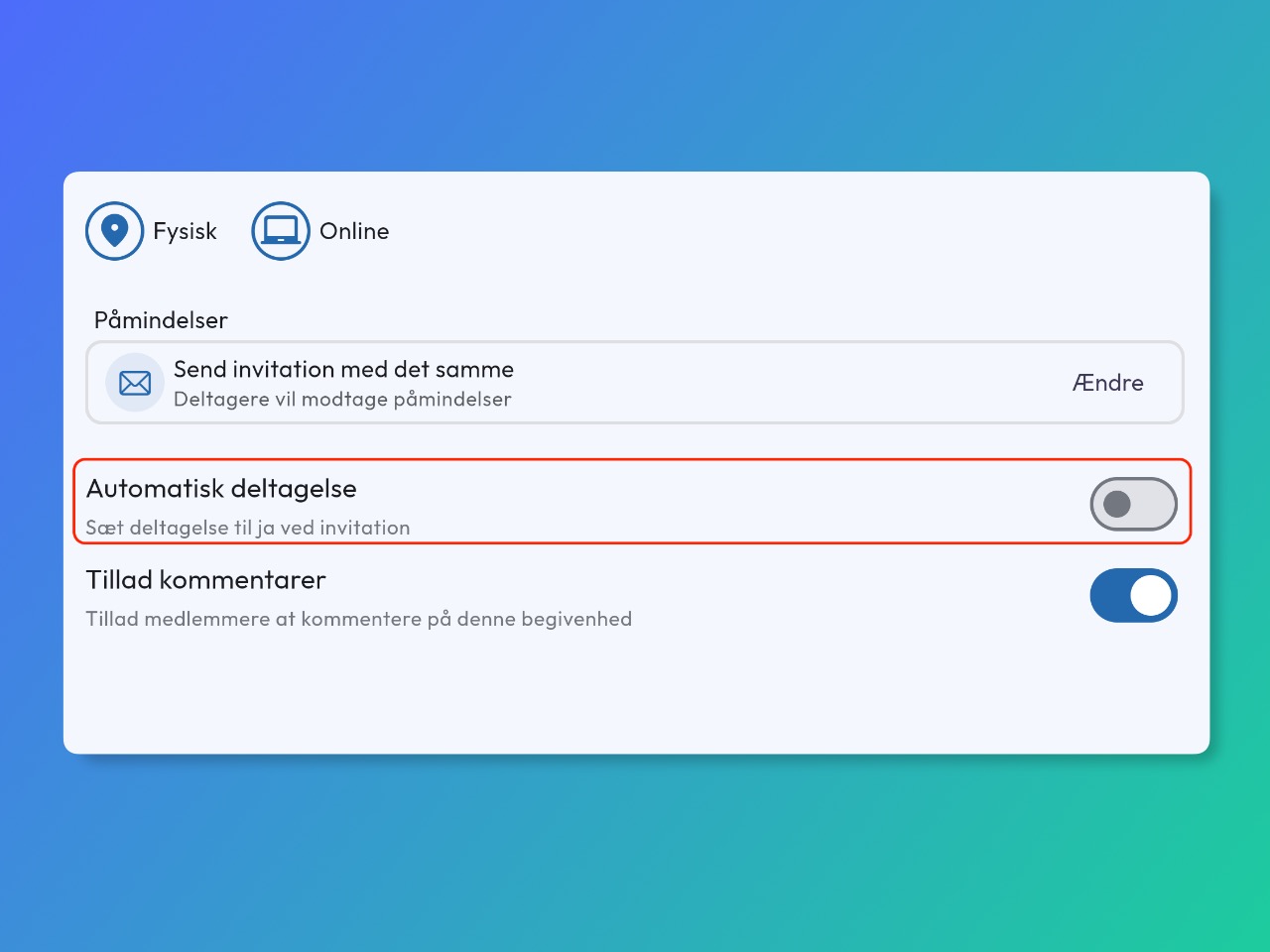
Set automatic attendance on meetings
It is now possible to set meeting participants to automatically “attend”, instead of asking them to respond to the meeting invitation.
You can enable this on newly created meetings and also choose whether it should be enabled by default for a group under group settings.
Watch a short video or read how here: https://samli.io/guides/automatic-attendance
More improvements
- Document uploads are more transparent and will notify you if there are problems.
- Added a navigation bar to the app for posts, searches, questions, and documents.
- Create member tags (What is this?) directly from the member edit page.
- Groups without a banner image now get a colour based on your primary and secondary colour choices under organisation settings.
- Public events now have a “copy public link” button so it’s easy to share on social media.
- Some members have extra security on their work PC and have trouble logging in. We’ve therefore added a warning on the login screen asking the user to contact us for help.
Bug fixes
- When app links are opened in a mobile web browser and the app is installed, it now asks whether you want to open it in the app instead.
- If you were a member of multiple organisations, member tags were shown across all of them.
- Despite the group being in draft, scheduled meeting invitations would still be sent out.
Previous newsletters
Did you miss a great update from last time? You can see all the newsletters I’ve sent here: https://samli.io/newsletters