Hi facilitator
A day rarely goes by without someone mentioning AI. If you haven’t heard about it today, I can help with that.
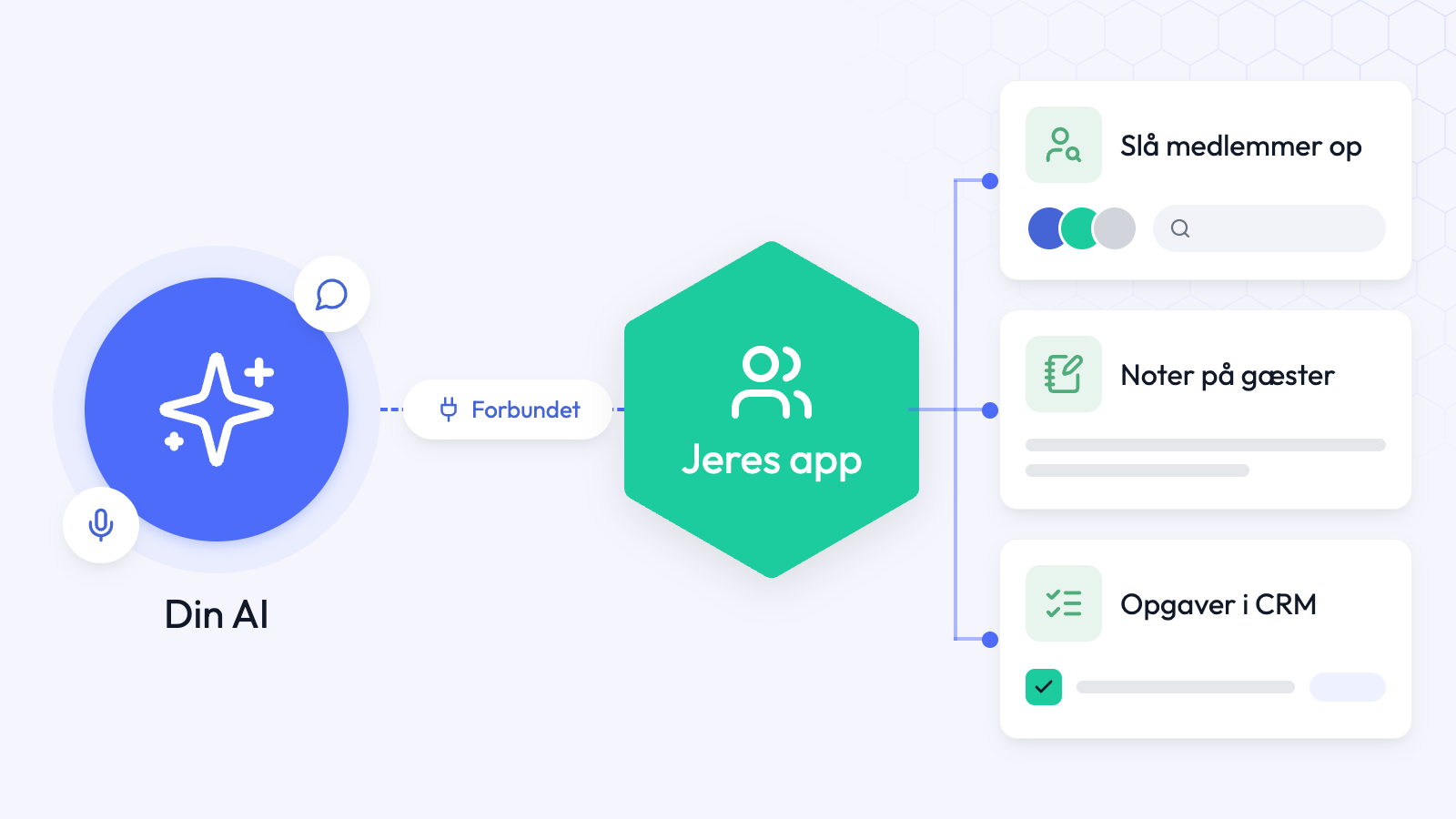
You can now use ChatGPT, Claude or another AI with your app. For example, you can update member profiles using information from their websites, pull a list of recent guests to follow up with, or make changes directly in your CRM.
You can also give member benefits their own menu item and create named group chats, much like in Messenger.
Use your own AI in your app
If you already use ChatGPT or another AI in your day-to-day work, you can now connect it to Samli. Ask it to look up a member, save a note about a guest or create a task in CRM.
After speaking with a guest, tell your AI who you spoke to and what you agreed. It can save the note on the guest’s record and create a task if you need to follow up.
If you run into something you’d like your AI to help with, feel free to write to me.
Read the guide to connecting your own AI
Create your own menu item
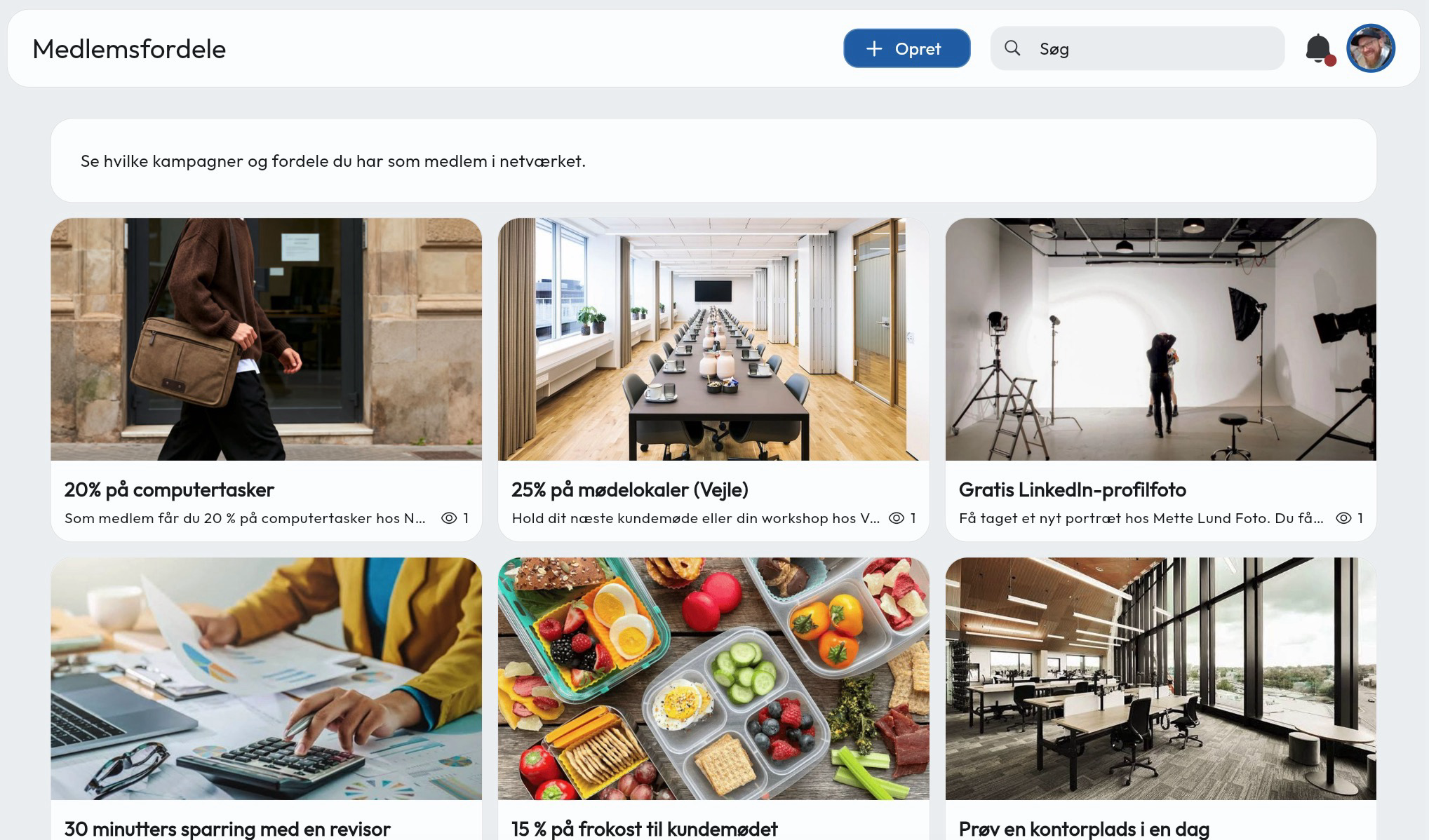
Where do you send a new member who asks what benefits come with their membership? You can now put your member benefits directly in your app.
With custom pages, you can add your own content to Samli and give it a menu item. On mobile, members tap their profile picture to find the page.
In the video, I’ve made a page for member benefits. Each benefit has its own card where you can explain the offer and add a link or file.
If there’s something else you’d like to make easy to find, write to me and I’ll help you work out how to set it up in Samli.
Read the guide to custom pages
A new way to find and save files and media
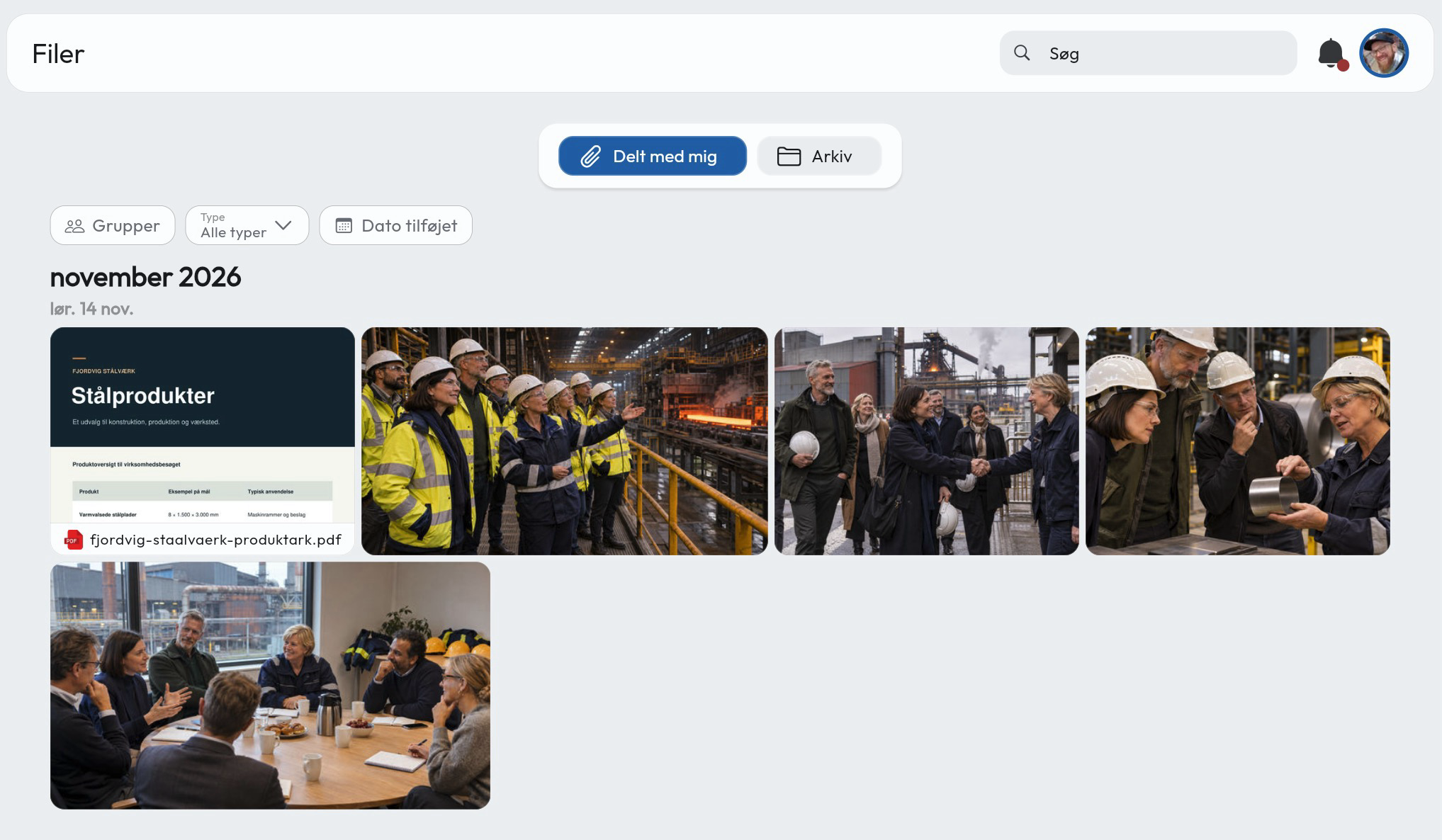
Was the presentation shared in a post or at the meeting? Under Files, the Shared with me tab gives each member a timeline of the content shared with them.
Administrators can find folders under Archive. Members can find this morning’s presentation in their timeline, and you can save it in an archive folder alongside the rest of the meeting material.
Read the guide to Shared with me and the archive
Better group chat
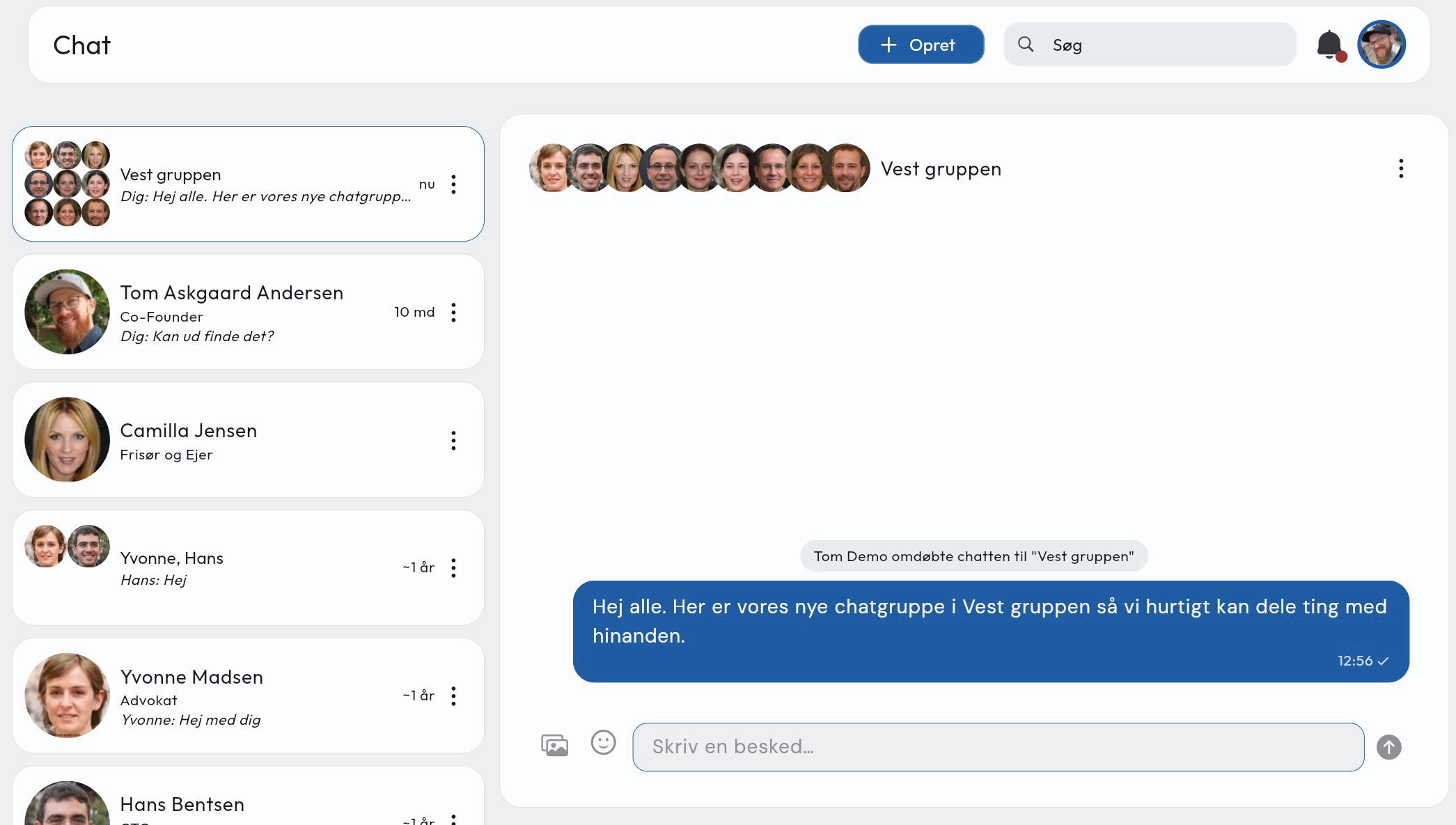
Share files, photos and videos directly in chat, and see when the other person is typing or has read your message.
Create a group chat, give it a name, and add or remove participants as needed. Smaller groups can use it to stay in touch between meetings.
More improvements
- Download the attendee list from a meeting and choose which fields to include.
- Send a guest invitation straight away, add the guest’s phone number and record who invited them.
- Attendees can leave a private comment for the organiser when declining. You can also ask whether they’d like to invite a substitute.
- Filter by group in CRM and open a guest’s CRM record directly from the meeting. You can also turn the guest into a member from there.
- View sent emails and push notifications in the message log. It’s easier to see when an email wasn’t delivered.
- The member invitation includes a new intro video. The sign-in email is easier to read and arrives faster.
Bug fixes
- You can share events from mobile again.
- You can search for members by their member tags again.
- CRM assigns a follow-up task and reminds you to contact the guest three days after the meeting.
- Outlook sync is working again.
Previous newsletters
I’m curious what you’ll use your AI for in Samli. If you try it out, write to me at tom@samli.dk or call +45 25 94 66 94.
Enjoy the rest of November!
Best regards, Tom